A counter that keeps billing when the internet does not
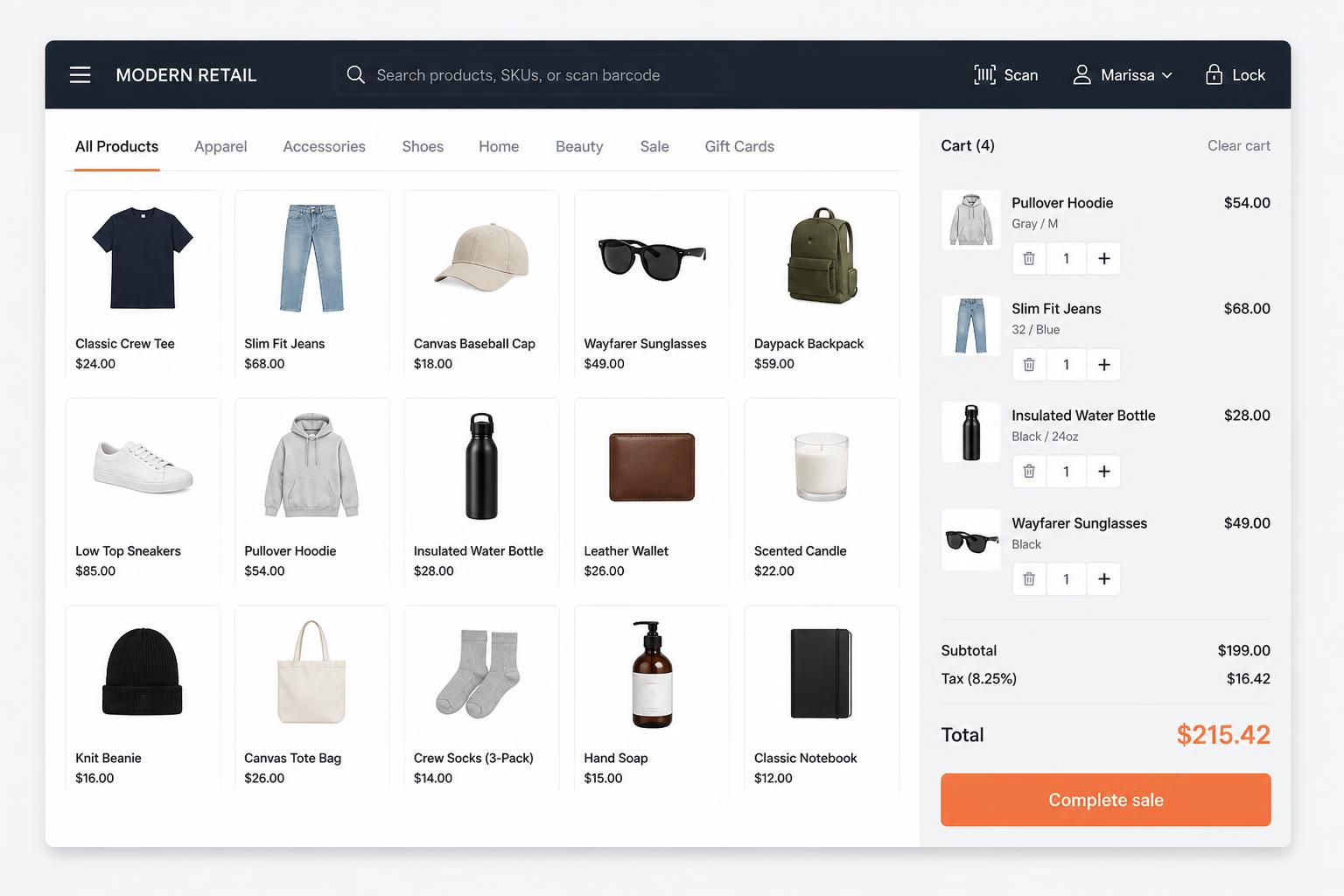
Scan, bill, print and settle in seconds. Every sale updates stock, the customer record and your books without anyone typing it a second time.
Why counters slow down
These are the situations this product exists to remove.
- The till and the stock system are different products, so shelves and records drift apart.
- A dropped connection stops billing while customers are waiting.
- Returns and exchanges are handled on paper and reconciled later, badly.
- Cashiers can see far more of the business than they should.
Four steps, in the order you would actually do them
- 01
Built for scanner and keyboard
Barcode-first billing with shortcut keys, so trained staff never reach for a mouse.
- 02
Keeps working offline
If the connection drops, sales continue on the terminal and sync automatically when you reconnect.
- 03
Shifts that reconcile
Open, settle and close shifts with cash counts, so the drawer is balanced every day.
Capabilities
Barcode billing
Scan or search, apply discounts and take payment in a few keystrokes.
Receipts & cash drawer
Receipt printing and cash drawer support for standard counter hardware.
Returns & exchanges
Handled at the counter, with stock and accounts corrected automatically.
Card payments
Card payment handling alongside cash.
Shift settlement
Cashier totals, variances and end-of-day cash reconciliation.
Store-scoped access
A cashier sees one store's counter, not your ledgers or margins.
Who it is for
- Retail shops and grocery stores billing all day
- Businesses that need the same counter behaviour across branches
- Any business where queue speed is part of the customer experience
How it connects
- Every sale reduces the right store's stock immediately.
- Customer purchases build a history you can use later.
- Cash and card takings post to your accounts as they happen.
- Managers compare counters and branches from the mobile app.
On the roadmap
- Self-checkout mode
- Loyalty and points programmes
- Weighing-scale integrations beyond barcode labels
SolveFlex POS — common questions
What happens to sales made while offline?+
They are queued on the terminal and synced when the connection returns, so a sale is never lost or entered twice.
Can each branch have its own counters?+
Yes. Stores and terminals belong to your workspace, and staff are assigned to the store they actually work in.
Explore more
Other parts of the ecosystem
SolveFlex ERP
Manage operations, inventory, purchasing, customers and finance from one place.
Ready to see SolveFlex POS with your own numbers?
Request a guided demo, or ask us a direct question about how this would work in your business.