ERP that reads like your business, not like a database
Products, stock, purchasing, sales and finance in one place — so the number in your report is the same number your counter and your warehouse are working from.
What usually goes wrong without connected software
These are the situations this product exists to remove.
- Stock levels live in a spreadsheet that is already out of date by lunchtime.
- Purchase orders are agreed over messages, so nobody knows what is owed or arriving.
- Sales are recorded twice — once at the counter, once for the accountant.
- Reporting means exporting from three tools and hoping the totals agree.
Four steps, in the order you would actually do them
- 01
Start with your products
Products, categories, units, barcodes and price lists become the shared language every other part of the system uses.
- 02
Daily work posts itself
A goods receipt or a sale changes stock and your accounts in the same movement, so nobody re-enters anything.
- 03
Everyone sees their own slice
Roles decide what each person can open, so the cashier, the accountant and the owner can safely use one system.
Capabilities
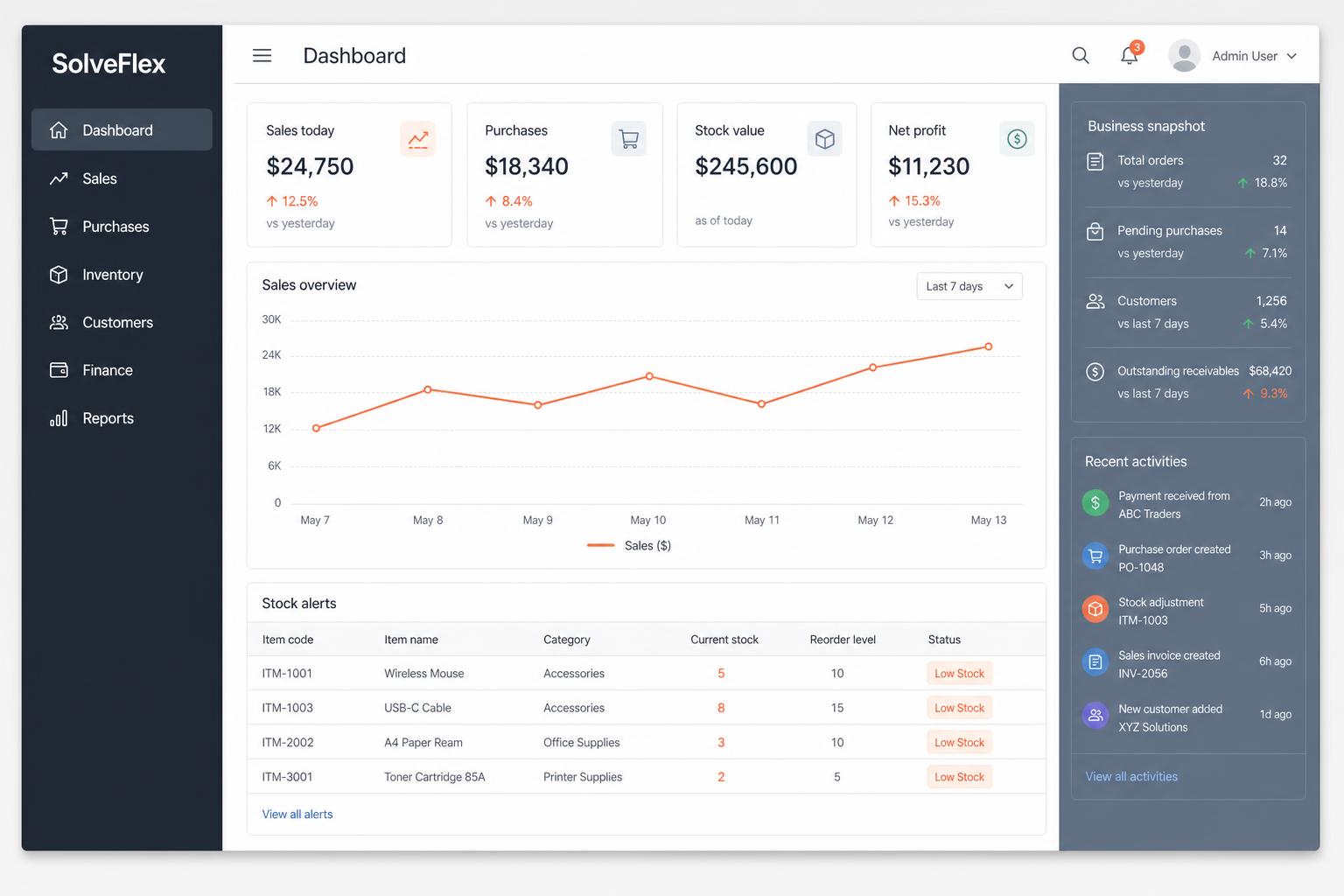
Business dashboard
Sales today, purchases, cash position and stock alerts the moment you log in.
Products & pricing
Categories, brands, units, barcodes and price lists as one master catalogue.
Inventory
Stock per store and warehouse, transfers, adjustments, reorder levels and valuation.
Purchasing
Suppliers, purchase orders and goods receipt that update stock and payables together.
Sales & customers
Quotations, orders and invoices with clean numbering, plus a full customer history.
Finance
Sales, receipts, payments and expenses posted as they happen, with profit and stock valuation reports.
Who it is for
- Businesses that have outgrown spreadsheets but do not want a two-year implementation
- Owners who want one place to check the day instead of asking four people
- Teams running more than one store or warehouse
How it connects
- The counter bills against the same products, prices and stock.
- Your online store publishes from the same catalogue and never oversells.
- Accounts receive every sale, receipt and adjustment as it happens.
- The mobile app shows the same dashboard your managers use on desktop.
On the roadmap
- Manufacturing and bill of materials
- Fixed asset register
- Multi-currency accounting
SolveFlex ERP — common questions
Is SolveFlex an ERP?+
ERP is one part of SolveFlex. You get the ERP portal alongside point of sale, an online store and a manager's mobile app, all sharing one set of business data.
Can I start with only the parts I need?+
Yes. Your workspace includes the portal, but you decide which parts your team actually uses and when. Nothing has to be fully configured before you can start selling.
Explore more
Other parts of the ecosystem
Ready to see SolveFlex ERP with your own numbers?
Request a guided demo, or ask us a direct question about how this would work in your business.