Know your inventory. Run your business with confidence.
One stock ledger behind your counter, your warehouse and your online store — so the number on the screen is the number on the shelf.
Why stock is so hard to trust
These are the situations this product exists to remove.
- Counts live in a spreadsheet that is edited by three people.
- Fast movers run out while slow stock quietly ties up your cash.
- Transfers between branches are agreed verbally and recorded later.
- Nobody knows the value of what is sitting on the shelves right now.
Four steps, in the order you would actually do them
- 01
Stock has a location
Every item is counted per store and per warehouse, not as one vague company total.
- 02
Movements do the updating
Sales, receipts, returns, transfers and adjustments each move stock as they happen.
- 03
The system tells you first
Reorder levels turn quiet stock problems into a list you can act on today.
Capabilities
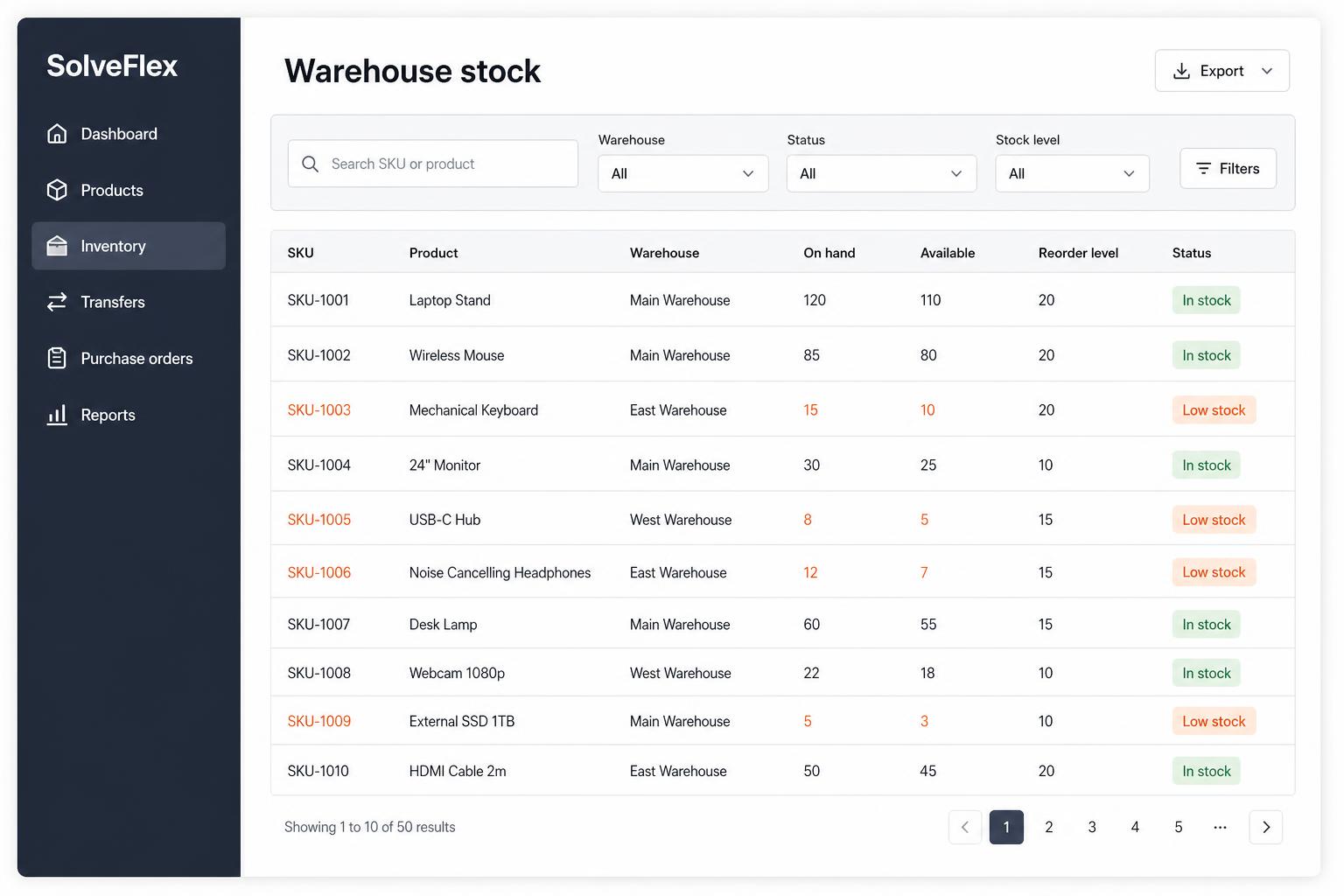
Live stock levels
Quantity on hand per store and warehouse, with movement history behind every number.
Reorder levels
Minimum levels per item and location, surfaced as low-stock and out-of-stock alerts.
Transfers
Move stock between branches and warehouses with both sides recorded.
Stock counts
Physical counts with clear variance so corrections are deliberate, not silent.
Batches & expiry
Track batch and expiry information where your products need it.
Valuation & ageing
What your stock is worth and what has been sitting too long.
Who it is for
- Shops and stores where shelf accuracy affects daily sales
- Businesses holding stock in more than one place
- Owners who want to buy on evidence rather than instinct
How it connects
- The counter reduces stock at the moment of sale.
- Purchasing increases stock when goods are received.
- Your online store publishes availability from the same ledger.
- Stock alerts appear on the mobile app wherever you are.
On the roadmap
- Demand-based reorder suggestions
- Serial number tracking
- Barcode label design templates
SolveFlex Inventory — common questions
Do I need the full ERP to manage inventory?+
Inventory is part of the SolveFlex workspace. You can use it as your main focus and leave the rest of the portal for later.
Can I import my current stock list?+
Yes. We help you bring products, opening quantities and costs across during setup.
Explore more
Other parts of the ecosystem
SolveFlex ERP
Manage operations, inventory, purchasing, customers and finance from one place.
Ready to see SolveFlex Inventory with your own numbers?
Request a guided demo, or ask us a direct question about how this would work in your business.