Your business in your pocket, not in a weekly report
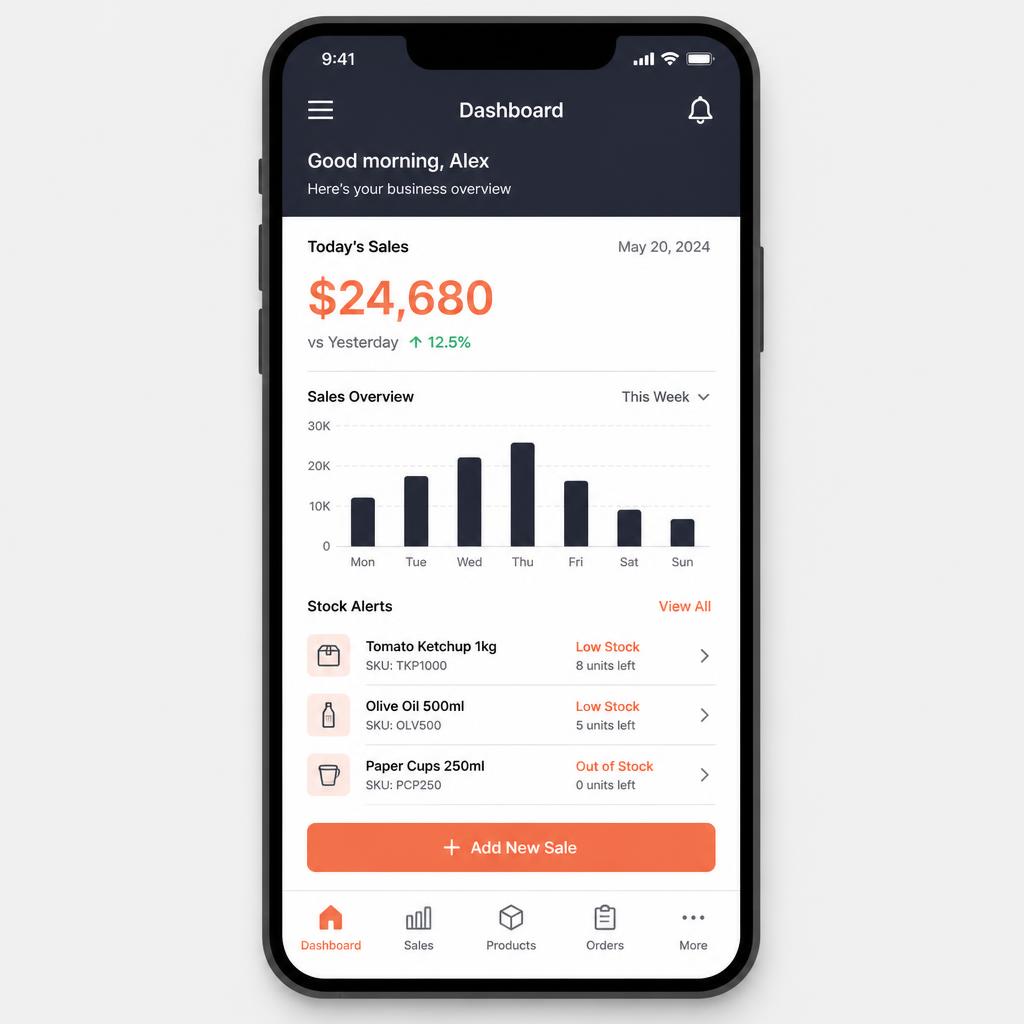
See today's sales, stock alerts and branch performance on your phone — the same data as the portal, made readable on a small screen.
What owners put up with today
These are the situations this product exists to remove.
- You have to be at the shop, or on a laptop, to know how the day is going.
- Numbers arrive as a screenshot in a chat group, hours late.
- Nobody notices a stock-out until a customer asks for the item.
- Comparing two branches means comparing two spreadsheets.
Four steps, in the order you would actually do them
- 01
Same data, smaller screen
The app reads your workspace directly, so there is no separate copy to reconcile.
- 02
Designed around glances
Today's figures first, detail on tap — not a dashboard squeezed onto a phone.
- 03
Access follows your role
A branch manager sees their store; an owner sees everything.
Capabilities
Today at a glance
Sales, orders and cash position for the current day.
Stock alerts
Low and out-of-stock items, with the store they belong to.
Branch comparison
Simple side-by-side performance across stores.
Product lookup
Search an item and see stock and price wherever you are.
Sales history
Recent invoices and returns with enough detail to answer a question.
Role-aware views
People only see the stores and figures their role allows.
Who it is for
- Owners who are not sitting in one place all day
- Managers responsible for more than one store
- Anyone who wants a quick, trustworthy check rather than a full report
How it connects
- Reads the same records the ERP portal shows.
- Reflects counter sales as soon as terminals sync.
- Includes online orders in the day's totals.
- Uses the same roles and permissions as the rest of your workspace.
On the roadmap
- Push notifications for stock and cash thresholds
- Approvals from the phone
- Offline read-only cache
SolveFlex Mobile — common questions
Is the mobile app a separate product?+
No. It is part of your workspace and reads the same business data as the portal.
Can staff use it, or only owners?+
Anyone you give access to, with what they see controlled by their role.
Explore more
Other parts of the ecosystem
SolveFlex ERP
Manage operations, inventory, purchasing, customers and finance from one place.
Ready to see SolveFlex Mobile with your own numbers?
Request a guided demo, or ask us a direct question about how this would work in your business.